What it does
Bend a terrain pattern so hills lean and stretch. The slope of a second field sets the direction and strength of the bend at each position.
Connect your shape to Input and a smooth noise to Warp. Start with a small Factor, then increase it until the hills start to lean. This takes more work than plain noise, so keep it for shapes that benefit from the bend.
On noise
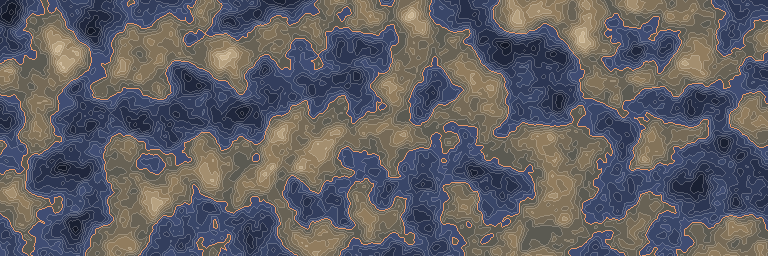
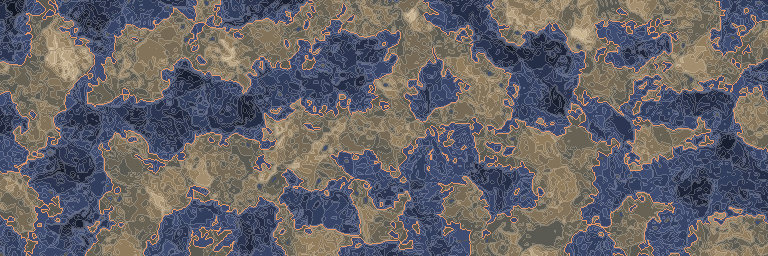
The same noise before and after this node, seen from above.
In 3D
The same output in relief: each value becomes a height, coloured like the map above. Drag to look around.
Inputs and outputs
| Name | Type | Default | What it changes |
|---|---|---|---|
| Inputs | |||
| Input | Density | The density whose pattern you want to bend. | |
| Warp | Density | Its slope sets the direction and size of the displacement. | |
| Sample distance | Real | 1.0 · > 0 | Sets how far apart nearby readings are taken to measure the slope. |
| Factor | Real | 8.0 | Values further from zero bend the pattern more, and negative values bend it the other way. The distance also depends on the warp slope. |
| Output | |||
| Output | Density | The input density read at the displaced positions. | |
Good to know
Soften the field that bends the terrain
A broad, smooth Warp gives gentler bends. Increasing its amplitude also increases the displacement, even if Factor stays unchanged.
Watch the vertical movement
A warp that varies with height can move the reading up and down. Use a 2D warp field when you only want sideways distortion.